



Here's what a Monday looks like.
From the office plan at 7:00 to the report in your customer's inbox — every screen below is the real app.
Plan in the office
Drag recurring jobs onto the week, assign techs, and optimize each route in one click. Lock the stops that can't move.

Techs head out
Every tech opens their route on their phone: stops in order, gate codes, pool details. No signal in the backyard? The phone app keeps the day working and syncs later.
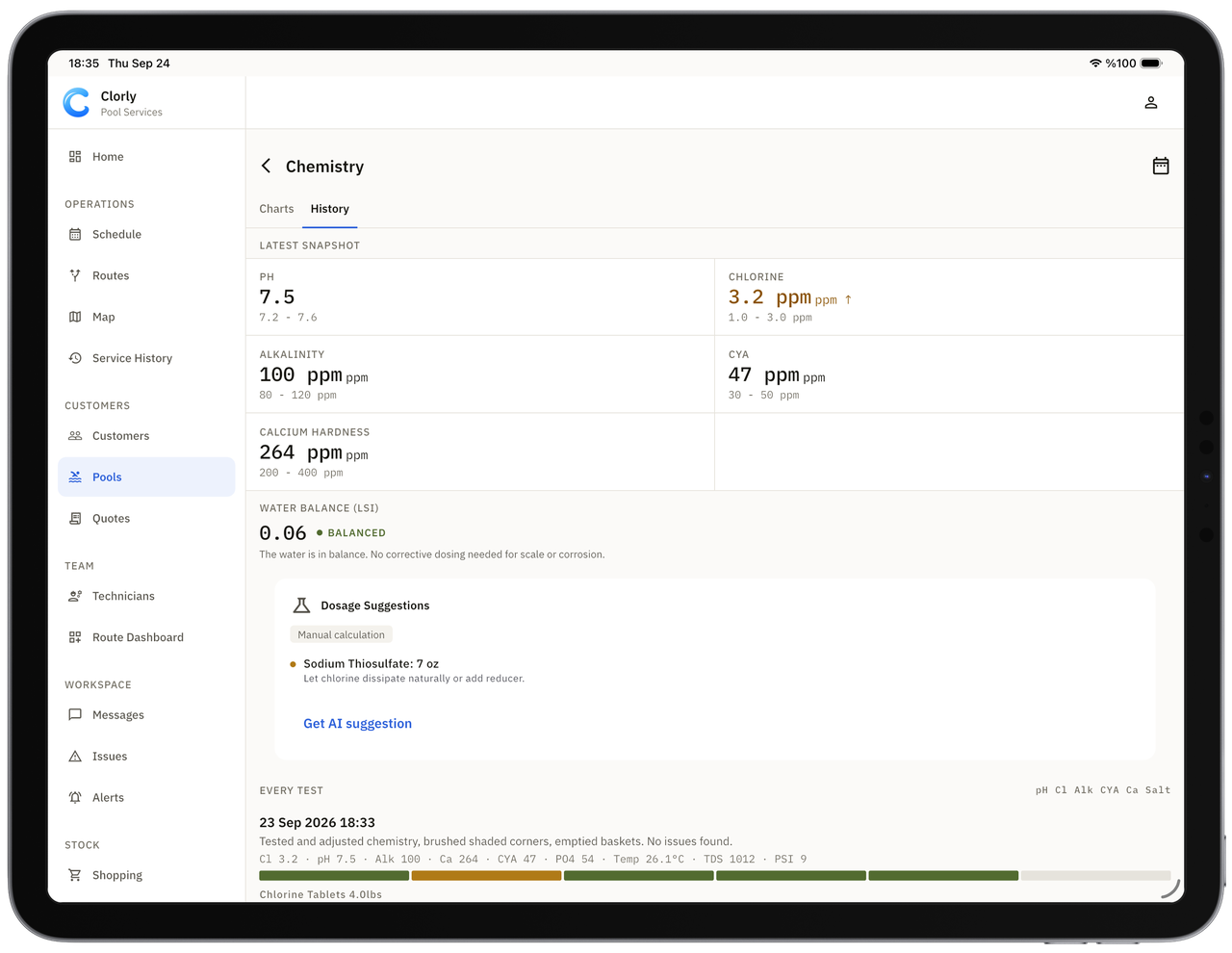
Readings and dosing, worked out
Type readings, say them out loud or photograph a test strip. AI suggests the exact dose from the pool's volume, readings and your targets — your tech confirms before anything goes in the water.
Voice and test-strip readings need a connection.
Proof, sent automatically
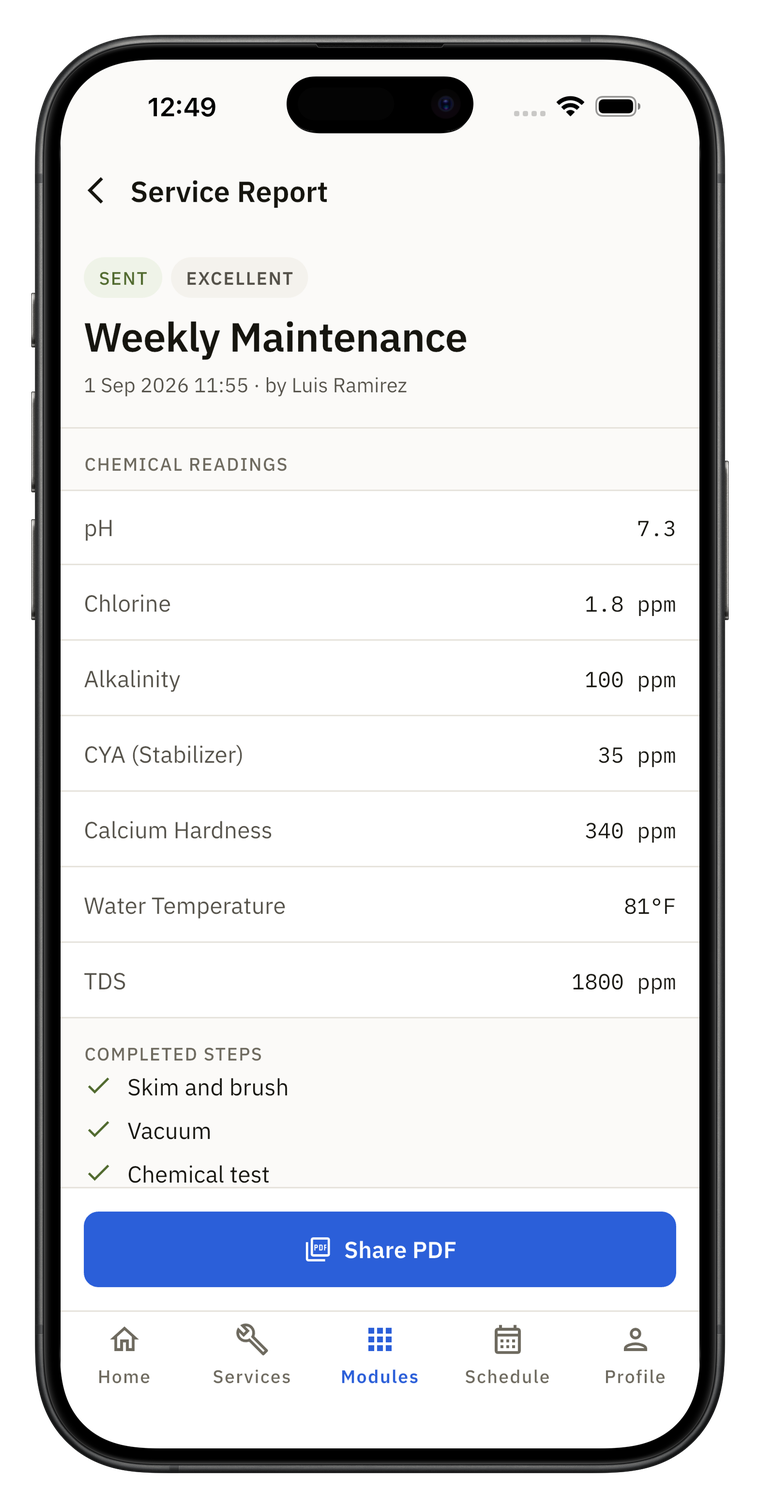
Before/after photos (time- and GPS-stamped), readings and a short written summary land in your customer's inbox.
Try it on your own route.
Fewer “did you come today?” calls.
Customers see the work you did — without logging in.
Photo service report
Readings, what was added, before/after photos and a plain-English summary after every visit.

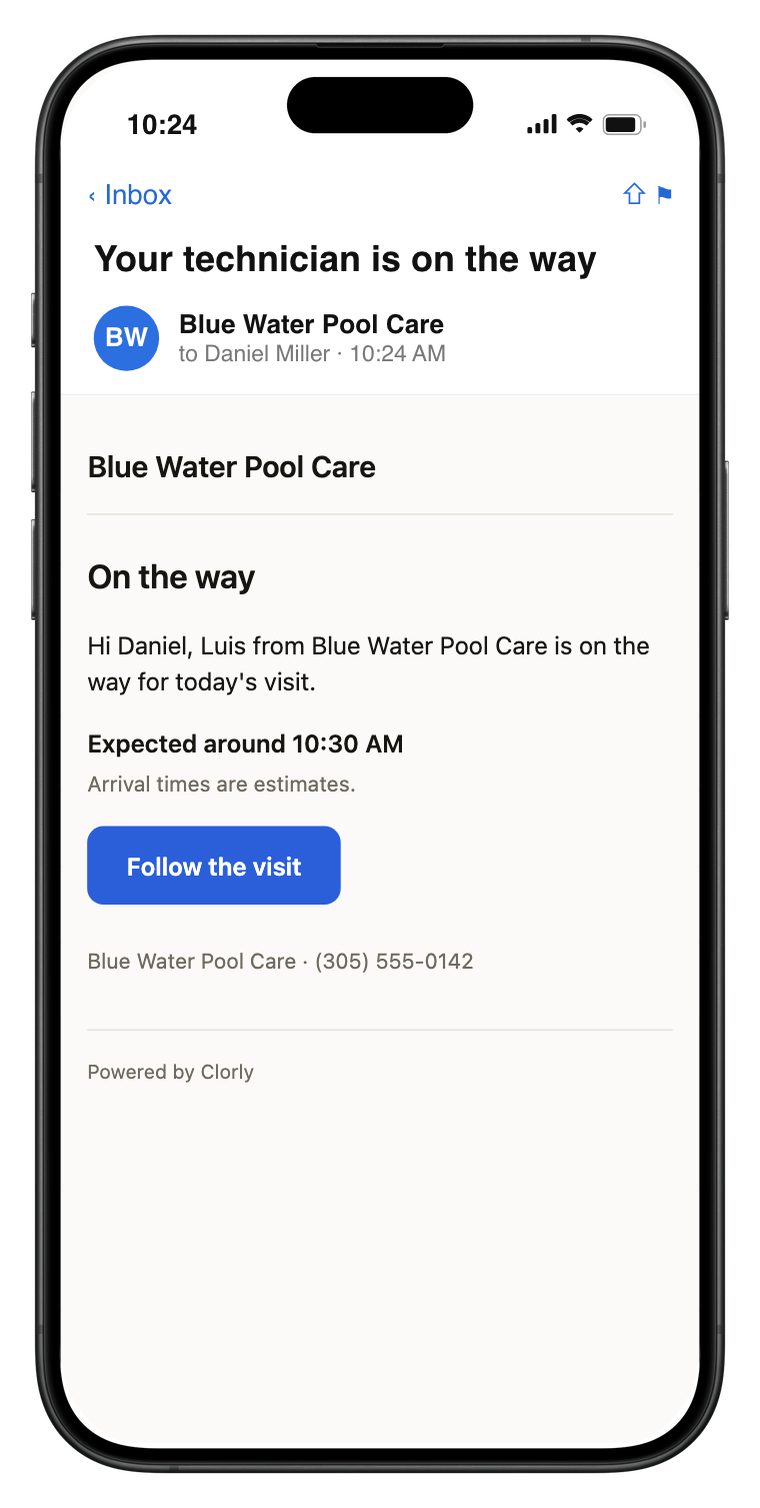
On-my-way email
One tap tells the customer you're coming, with a link to follow the visit.
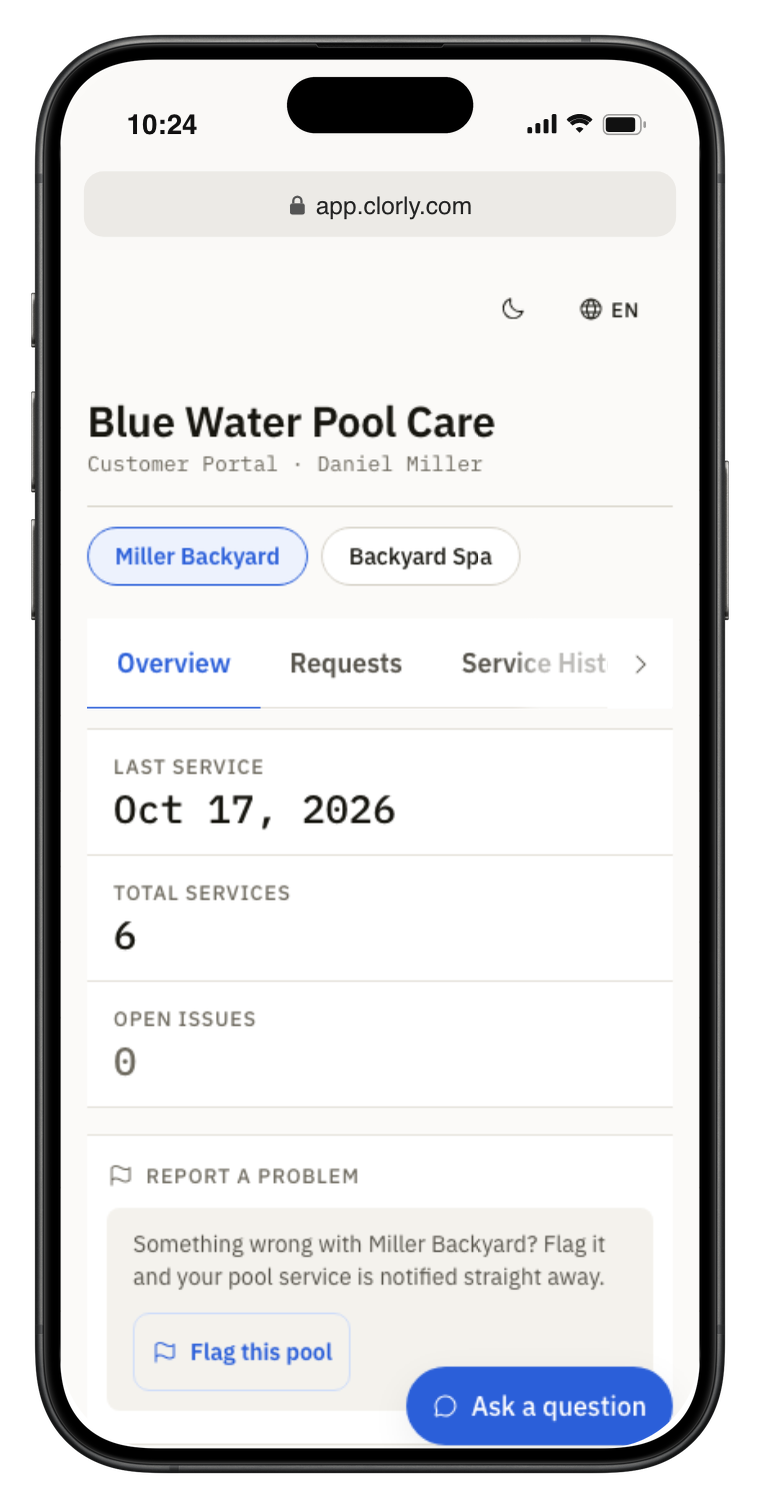
Private customer portal
No password. Upcoming visits, history, photos, chemistry trends, service requests and messages.
Quotes and service agreements are e-signed by the customer on their own device — accepted quotes become jobs.

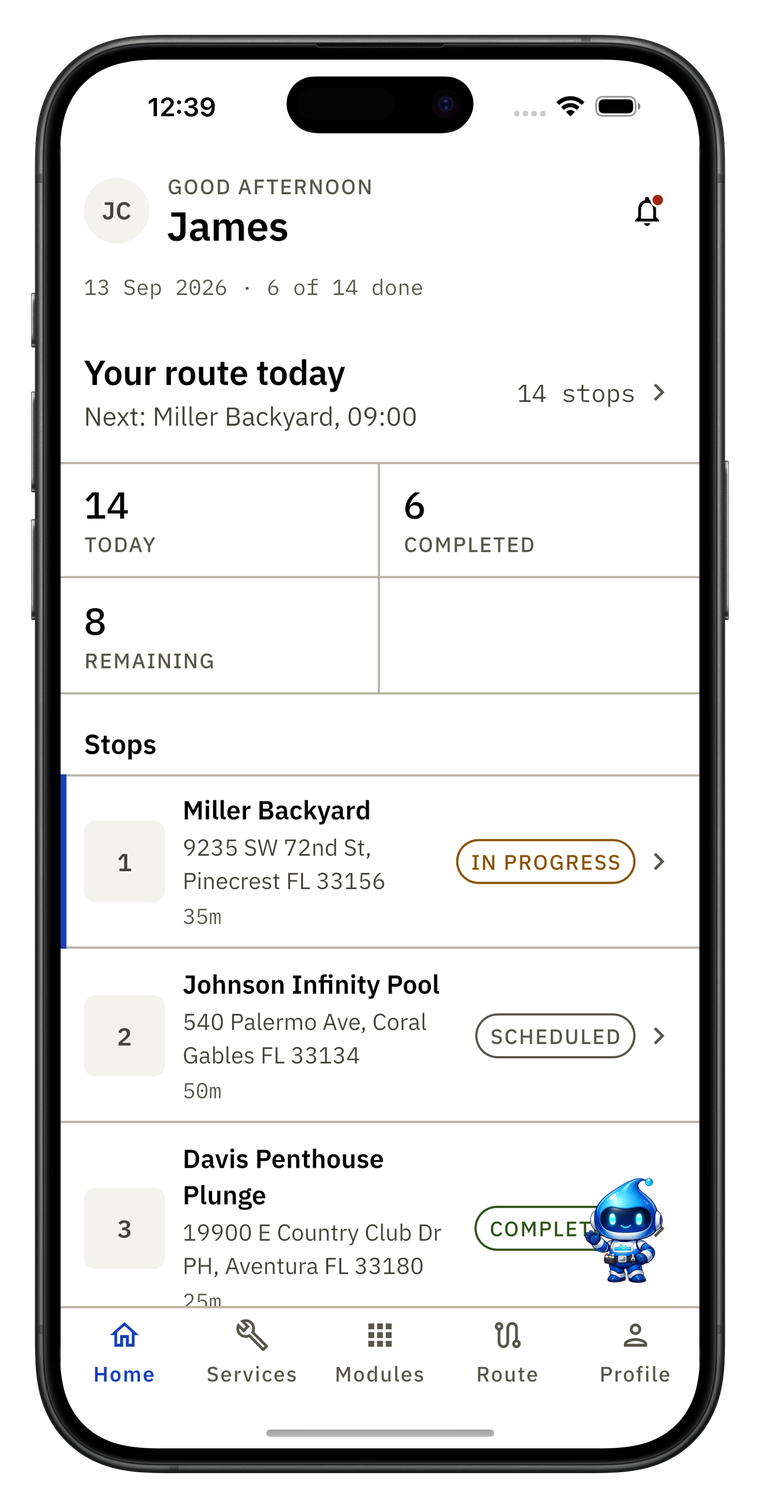

Built for the person holding the test kit.
AI, maps and office changes need a connection; the web app is online-only.

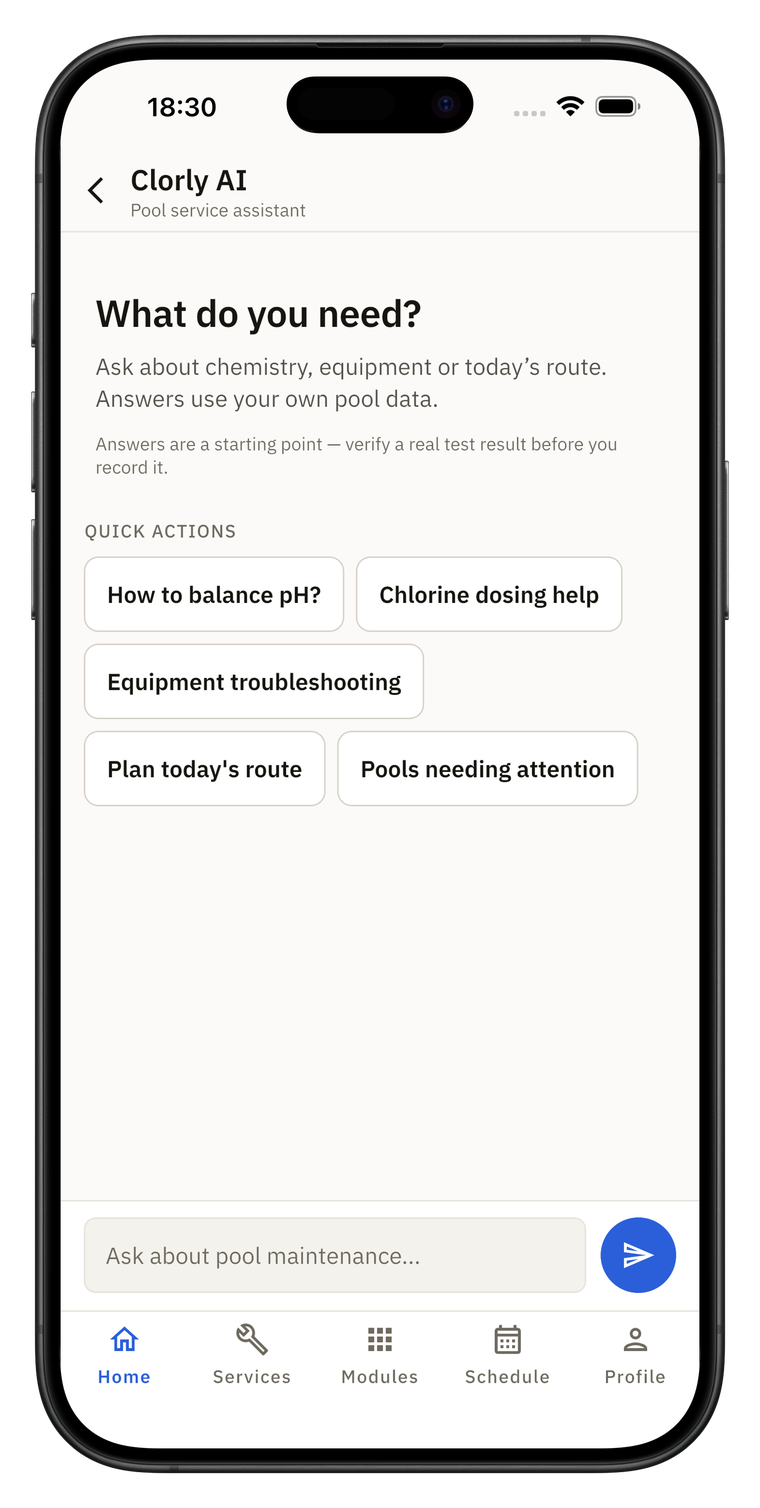
Pay for pools, not people.
Every plan includes every feature and unlimited technicians.
That's about 28¢ per pool per month on Growth.
Import your list. Check it. Undo it within 24 hours.
Bring your list
Spreadsheet, Excel, or even a photo or PDF of a printed list. AI maps the columns and flags duplicates.
Preview, then import
Nothing saves until you check it, and you can undo within 24 hours.
Run your first route
Guided setup takes you to your first customer, first visit and a sample report.
We run your operations. Your money stays with you.
Clorly doesn't collect payments or take a cut of your revenue. Keep invoicing in QuickBooks, Wave or whatever you already trust — export a QuickBooks Online-compatible CSV from any plan.
From one truck to many branches.
Who it's for


Questions owners ask first.
Still stuck? Email support@clorly.com — we typically reply within one business day.