

For techs — the field day
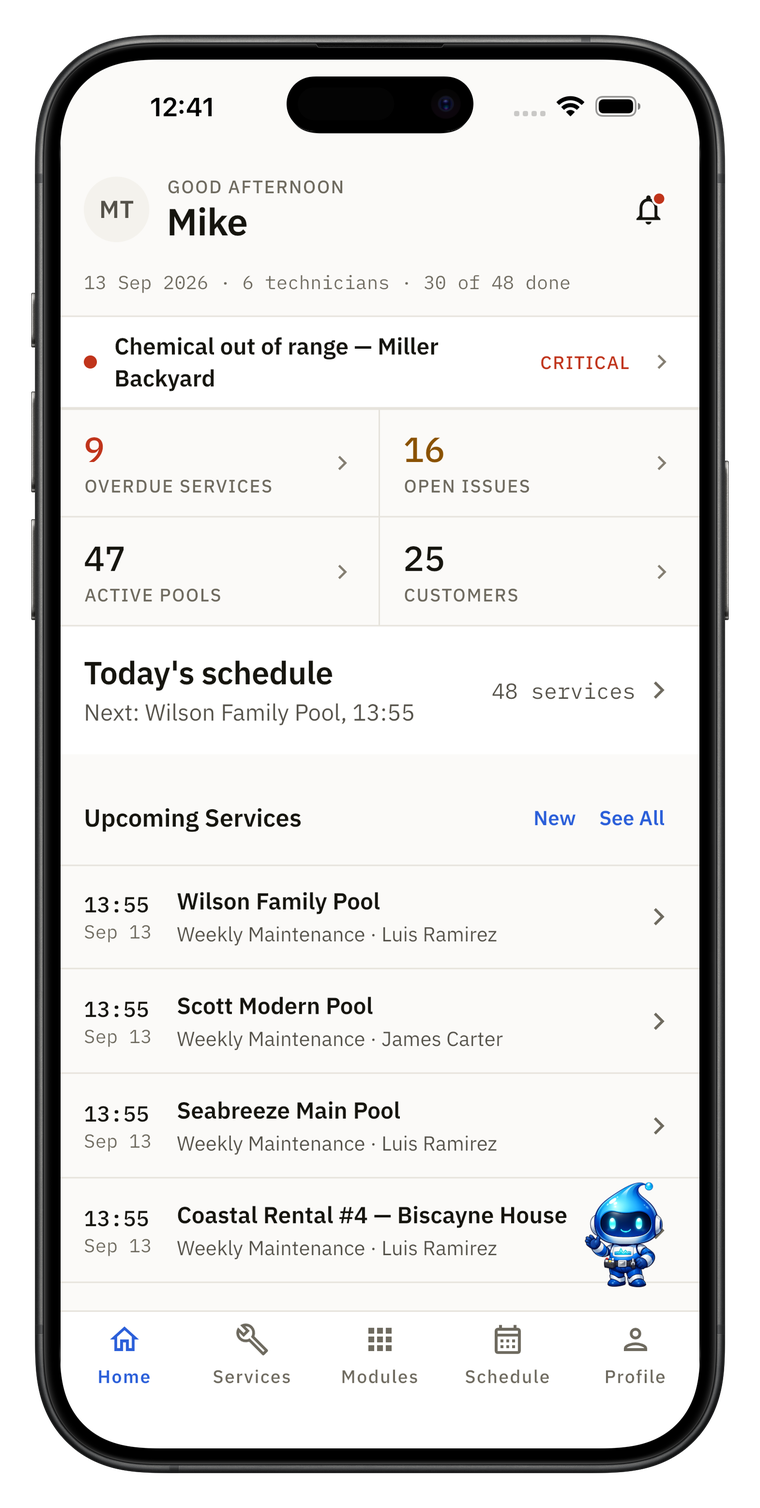
The phone app is built around the route: one stop at a time, everything the tech needs on the stop, and it keeps going when the signal doesn’t.
Daily route
Stops in order, arrival windows, Start and Complete stop.
Keeps working without signal in the phone app
Today’s and tomorrow’s route, customer and pool info, readings, checklist, notes, parts, photos, issues and inspections. Syncs automatically when signal returns.
On-my-way notice
One tap emails the customer a link to follow the visit. A ready-made SMS or WhatsApp opens in the tech’s own phone.
Voice & test-strip readings
Say readings aloud or photograph a test strip and the form fills in. Needs a connection; the tech checks values before saving.
Show 3 more
Shifts & timesheets
Start day / End day; worked, on-site and drive time.
Inspections
Templates rated Satisfactory, Needs attention or Safety issue — shared as a PDF or link.
Time- and GPS-stamped photos
Before and after, on every visit.
AI, maps and office changes need a connection; the web app is online-only.

For the office — plan & dispatch
Plan the week, balance the routes and watch the day happen — every change reaches the field.
Drag-and-drop scheduling
Weekly calendar with technician assignment.
Flexible recurrence
Every 1–8 weeks, or “2nd Tuesday of the month or quarter”.
One-click route optimization
Lock fixed stops, set start and end points, see arrival windows.
Live route dashboard
Every tech’s progress, check-in times and minutes on site.
Show 3 more
Map view
All your pools on one map.
Closed days & vacation holds
Mark holidays closed and pause a customer while they’re away.
Move the whole day
Rain day? Shift every visit at once and email the customers affected.

For your customers
Show the work you did, win new work from your own website, and get quotes signed without chasing.
Service report emails
Readings, dosages, photos and an AI summary after every visit.
Customer portal
A private link, no password: upcoming visits, history, photos and chemistry trends.
Messages & service requests
Customers send requests with photos; your reply reaches them by email.
Quotes & e-signature
Customers review and e-sign on their own device via a link — accepted quotes become jobs.
Show 3 more
Service agreements
Sent from templates and e-signed on the customer’s own device.
Email broadcasts
Season opening, weather delay — sent by route day, tech, tag and more.
Website chat & lead inbox
AI answers from your FAQ and turns visitors into leads.

Chemistry & AI
Readings with real targets, the maths done for you, and AI that suggests — never acts on its own.
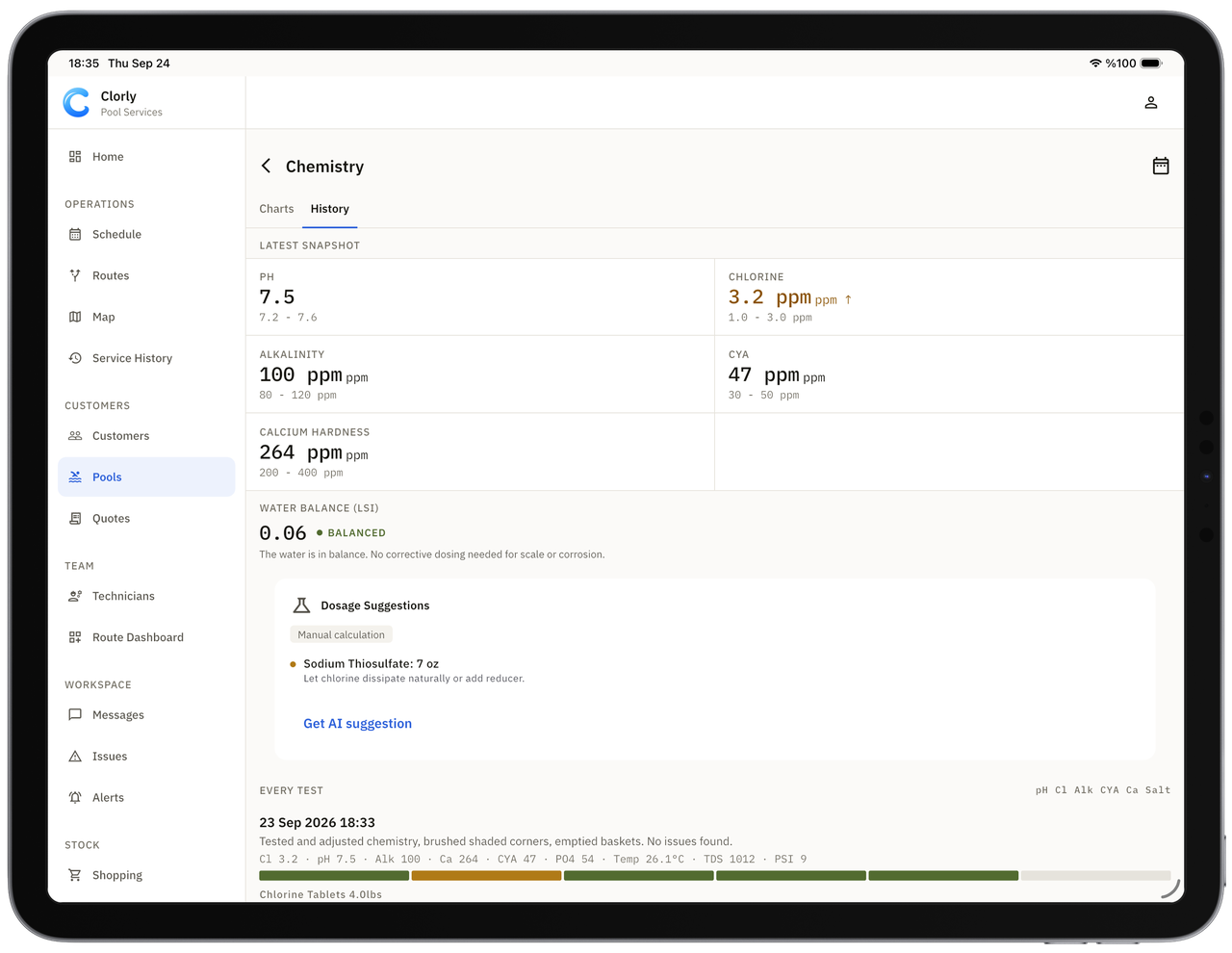
Readings with ideal ranges
Slider input and cost tracking.
Live LSI
Langelier index with colour warnings for scale and corrosion.
Chemical tracking
What went in each pool and what it cost.
AI Chemical Advisor
Suggests the dose from volume, readings and targets. The technician confirms before applying.
Show 4 more
Clorly AI assistant
Ask about your own customers, routes, readings and stock. It proposes changes — you approve each one.
AI service summaries
2–3 sentences for the customer email.
AI weekly recap
What went well, what slipped, one improvement.
Predictive maintenance
Flags aging equipment, chemistry drift and anomalies.
Team & control
Add everyone at no extra cost, then decide exactly what each person can see and do.
Unlimited technicians
On every plan. You pay for pools, not people.
Permission grid per member
View, create, edit, delete, send, assign — and hide prices and contact details.
Office role
For dispatchers who run the schedule, customers and quotes.
Work-order types
Your own job types for the work you do.
Show 3 more
Service templates
Reusable steps for recurring jobs, openings and closings.
Custom checklists
Global and per pool.
Smart alerts & automations
Trigger → condition → action.

Business tools
Know which routes, customers and techs make money — and connect Clorly to the rest of your stack.
Reports & analytics
Quality scores, dosage costs, technician performance.
Profitability & Route Fit
Estimated cost and profit per visit, route day, customer and tech; suggests the best route and price for a new lead. Analytics only.
Inventory
Stock with low-stock alerts.
Shopping list
Field to office: needed → purchased → installed.
Show 2 more
API keys & webhooksGrowth+
Public REST API and signed webhooks.
QuickBooks Online-compatible CSV
Export on every plan.

Getting started
Bring your list, check it, and run your first route.
AI-assisted import
CSV, Excel, or a photo or PDF of a printed list. Preview first; undo within 24 hours.
Guided setup
From a new account to the first customer and first visit, with the route on a map and a sample report.
Demo data only on request
New accounts start empty — demo data loads only when you ask for it and clears itself when you add your own.